

This release features a number of highly visible changes requested by our customers to make the system look better and work more easily for them. How could we help you? Just let us know if you have any suggestions that you think would improve the product or help you with your day to day tasks.
We hope you had a good summer. It’s never easy pushing anything out over August as invariably the people who need to see the changes are on holiday, so we skipped to September this year.
We have had a few complaints that MARKUS is beginning to look a little dated! It turns out we haven’t touched the styling of the back office for more than a decade…so this release it has had some love. Nobody likes change, so the new look is available to turn on if you want it, and is easy to show you on your test system, but if you don’t like it then you can keep the system looking like it does today. We think the new style looks fresh and clear, and brings us into 2023, but we won’t force it on you (yet)! We are doing more work on this, and at the moment there are only three themes – light, dark, and traditional. We are planning to continue working on the two new themes, and investigate other themes, whilst also looking into making it easier for individual users to customise their own themes to aid readability.
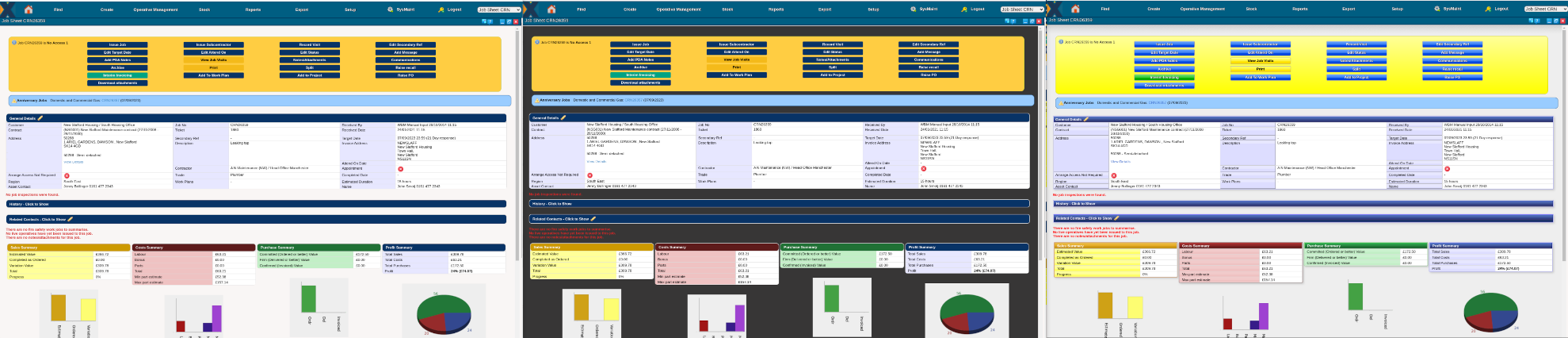
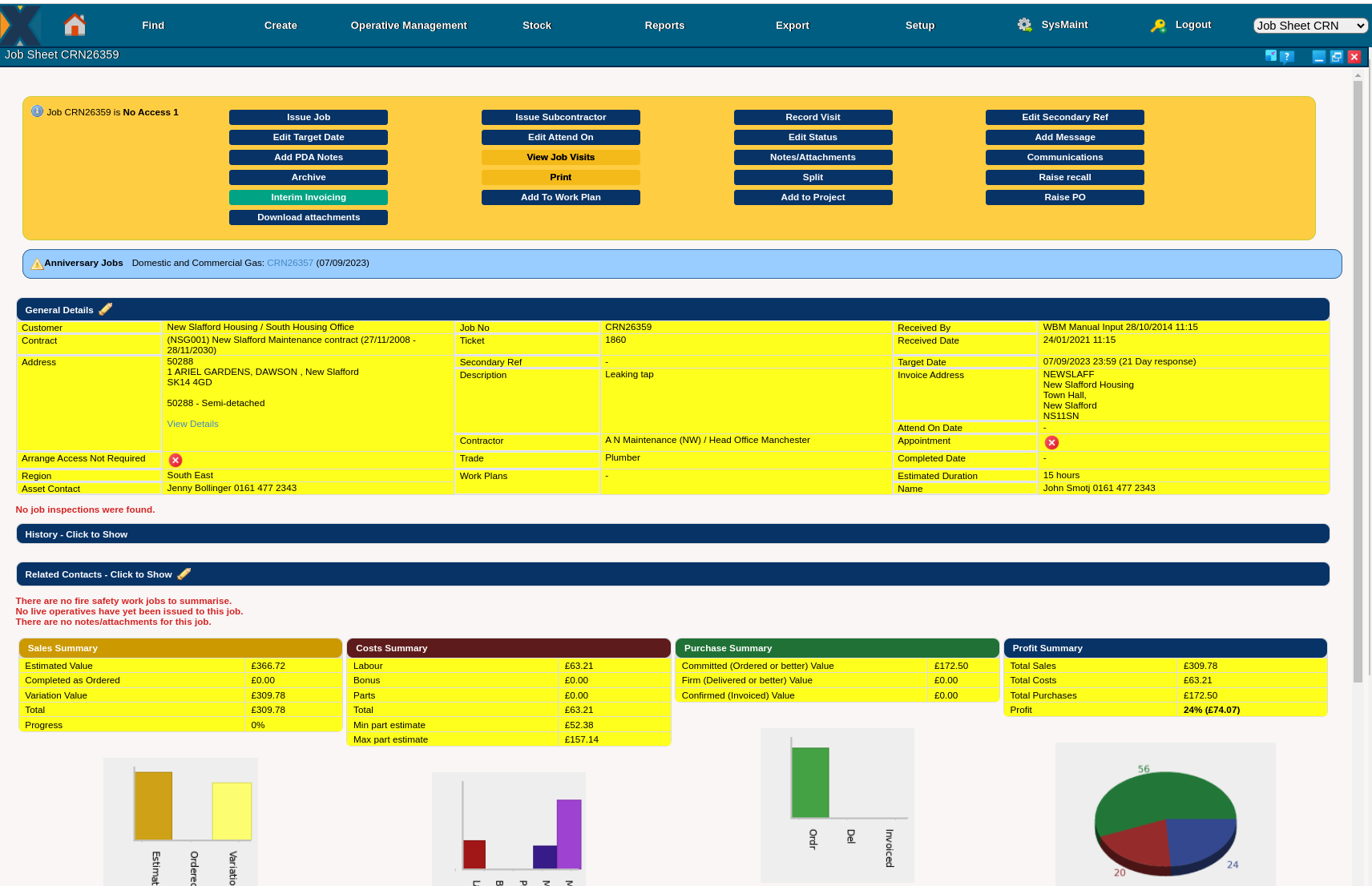
At about the same time as we were also approached by one of our contractors to discuss accessibility. They were asking if we could implement something to help users with reading disorders – we aren’t experts in the field, but we’ve looked around at what we can easily do to help and have implemented a very simple coloured overlay concept. This is very much in the early days, but if you want to try this then we’d be happy to have feedback – you can turn this on for a single person by editing their user. This is what the light theme with a yellow overlay would look like:
The final spotlight feature for this release is something to help Tim! We have one Care and Repair customer who uses the system to manage work for people, and their system is configured to have each individual represented by an asset. For a variety of reasons, this means that they often have the same person duplicated or triplicated in their system depending on the work they’ve received over the years, and this wasn’t something we anticipated when they went live in 2012. To fix their data they have always had to call us to ask Tim to archive the duplicates and move all the live jobs on to the real person, or manually walk through a length process of finding and editing all the jobs. This only happens once or twice a month, but we’ve always imagined that this causes them problems if Tim isn’t available to do his magic straight away whilst it also introduces a fairly high risk that we might one day get it wrong. To fix this we’ve written a process the users can trigger that exactly replicates what Tim was doing, and so they can now do this themselves. We think this is a win-win situation: Tim no longer spends time doing a fairly labour intensive task, and the user doesn’t have to wait for us to get around to doing it for them either – and even after 11 years we are still finding ways we can help improve their system.
New Features
- New system wide style sheet to allow for themes; implemented back compatible, dark, and light themes
- New user defined overlays for the back office system to aid readability and improve accessibility
- New archive asset/site process for merging jobs to a different asset to help when removing duplicate assets
- Improvements to the engineer messaging – implemented a back office view messages screen
- MARKUS Mobile now supports hiding the engineer’s phone number when calling clients – configurable via a mobile system option
- Client attachments can now be displayed on the mobile app
- Added a spellchecker to all rich edit elements
- Changing the costcode on a job automatically now updates the costcode of any related purchase orders
- Added the sales invoice history to the sales invoice screen
- Added a set of rules to override the timesheet hours worked based on arbitrary rules depending on day of week
- Added more control of costcodes relating to contract on the bulk job edit screen
- Changed the supplier price screen to remove the mandatory flag against discount and retail fields
- Expanded the support for logging editing a job’s contract on the audit trail
- Changed how keyword date filters “startoflastweek” and “endoflastweek” apply to detail reports
- Added the ability to dismiss the start of day back office warnings
- Added control of surveys on the job sheet for client only users so only surveys only appear after the admin team have reviewed them
- Changed the mobile app to support a different location provider to allow for more flexibility when collecting GPS data
- Added support for system option “show_codes_on_inv” to the communication class to assemble job lines that will look similar to invoice lines
- Prevent users from editing a sales line rate once the job has been invoiced
- Added a warning to invoice generation if now lines have been recorded on a job
- Added secondary job reference (often captioned as order no) to the work done report
- Added additional checking to the cc field when emailing PDFs
- Added an indication of the effective ETTC for each engineer based on work rate when issuing a job
- Added support for archiving nominal codes
- Limited the ETTC for issued jobs to be at most a whole day’s shift
- Added restrictions to what user admin tasks the Epix support team can perform in all systems
Changes For A Single Contractor
- Restricted access to the audit trail report for none user-admin authorised users
- Added engineer entered notes to the timesheet print out
- Added amendments to calculations on timesheet print out based on operative details (backported to previous release)
- New mobile app build to fix photo upload problem that was fixed the day after a recent customer was onboarded
- Further changes to a client specific report driven by status labels to pull out key dates for live jobs
Platform Improvements
- Changed the internal naming convention of variables for the spelling of colour/color depending on the code context and programming language
- Bound the authentication session time limit to the session garbage collection time limit to avoid stale but pre-gc sessions affecting the logged in user report
- Removed some previously deprecated code from engineer status widgets
Bug Fixes
- Fixed problem with the automatic update of “invoiced quantity” of order lines when recording supplier invoices with decimals
- Prevented missing settlement terms against a supplier from causing the invoice entry screen to hang
- Fixed UI indexing problem relating to live search elements for charge asset and job details on the manual job entry screen
- Fixed split job screen so that the future addition of extra columns to the sales line report will not prevent selecting the lines
- Defined the “delimiter” for CSV uploads of supplier prices so the importer doesn’t have to infer it from the content of the spreadsheet
- Fixed typo in title of the asset archiving screen
- Fixed a problem save a blank charge address against a site
- Prevent “idle” appearing in the middle of visits generated using the “retrospective clock off” feature
- Fixed bug with the overdue jobs list not pulling in the correct date intervals when drilling into the detail report for some date ranges
- Removed high ascii caption from the invoice sheet
- Prevent duplicate job details from being added in manual job entry
- Fixed authentication problem that prevented users with apostrophes in their name from logging in
- Part codes with an & were being incorrectly displayed on the purchase order line entry

