

Surveys are used across the mobile app to record start of day checks, risk assessments, and surveys on a job. However, surveys have many features in both the app and the back office system.
Signing Off Surveys
One feature of surveys is the ability to sign off on a survey. This can be done when supervisors approve a job. This allows surveys to be checked by a supervisor and their signature to be added to the survey printout. This can be done by checking the ‘Add Signature’ checkbox when approving a job. This currently only happens on surveys with the standard printout by default.

Editing Survey Results
Another feature of surveys is the ability to edit survey results from the back office. Once this is set up, users with permissions to edit surveys can edit surveys with editing enabled. This can be used to correct mistakes before sending out a survey printout.

Conditional Surveys
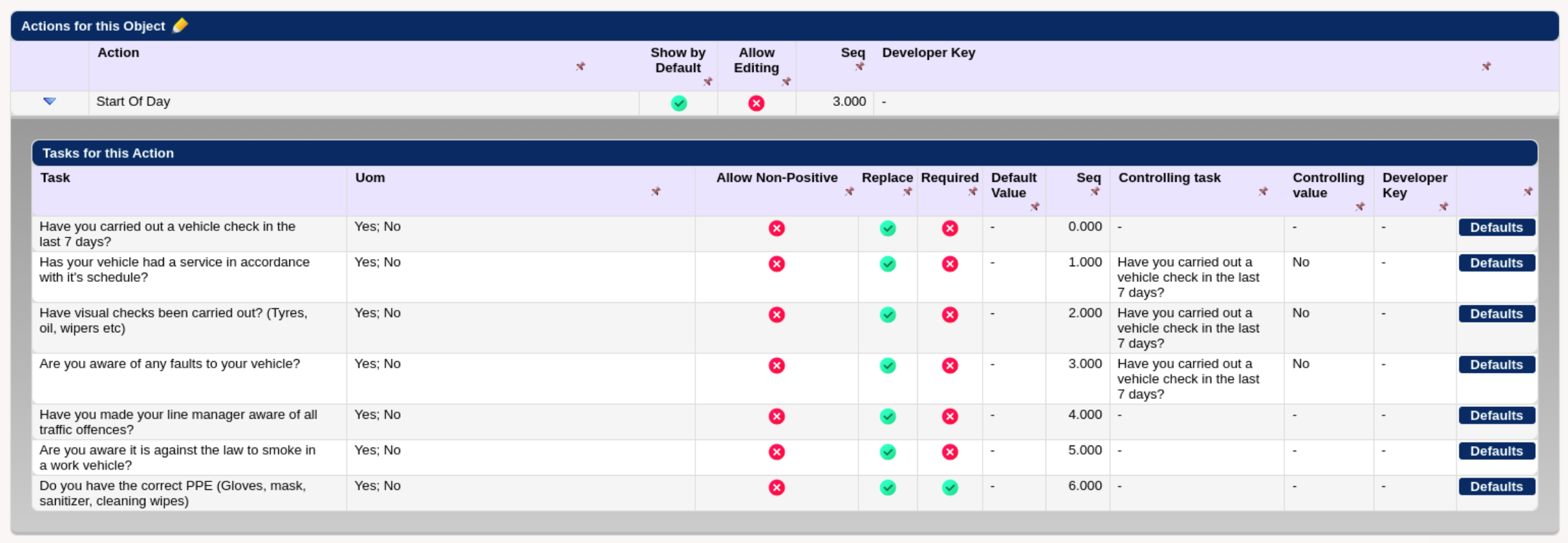
Conditional surveys allow users to add additional survey questions based on the engineer’s responses. This allows you to create surveys in more detail and ask additional questions based on the engineers responses on the survey. This can be set up using the survey setup screen within the system.
Chris recently covered all of these topics in one of our webinars. If you would like to learn more, see our YouTube Channel where you can also watch recordings of previous webinars and other training videos. And please do join us for our future webinars – sign up by emailing info@epixsystems.co.uk to sign up.

