

We had another fabulous open office day at the start of June, and a couple of system reviews with customers, and this has led to a series of quick wins. This includes some small changes to individual PDFs like the sales invoice; adding additional fields and filters to a number of reports to make sure users can get all the information from MARKUS without having to export CSVs and do vlookups; changes to dashboard widgets to make common tasks easier. One of the great aspects of a system review is that the development team are able to talk to users directly – and often the most common day to day complaints then become really easy to quickly fix whilst we are on site.
Three things often come up in review sessions with individuals.
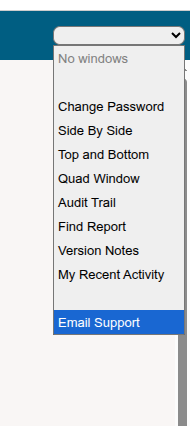
- Your support email address – at the bottom of your drop down menu at the top right of the screen you can see “Email Support”. Clicking this will launch the support email address into your email client. This email is monitored by the whole team and not just Ian and Chris! If anyone has a question and doesn’t want to phone us then this is normally the best first route to raise a support ticket.
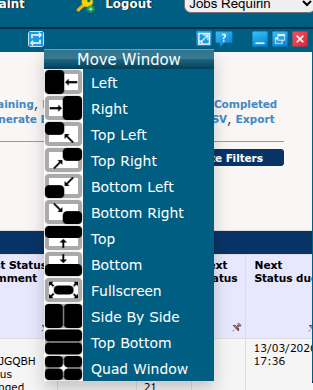
- Close to the same menu, once you’ve launched a screen in MARKUS you are presented with a number of small icons in the top corner of the new window. These allow you to arrange multiple screens in a single click – so you can see two jobs side by side in the same browser tab, or a main report and child job windows. There’s also a link to the online help feature here, and the ability to minimise windows.
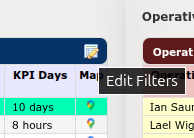
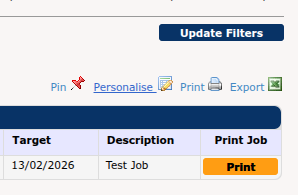
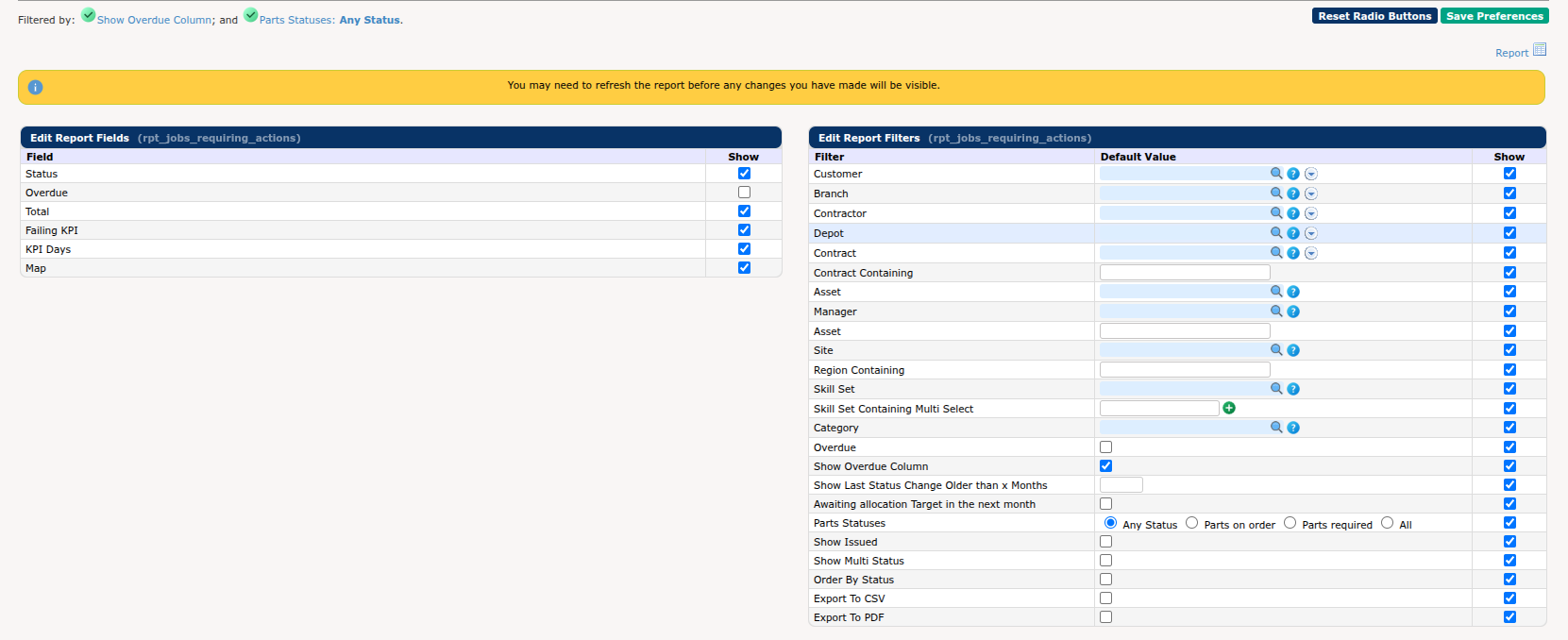
- Finally, a common feature people miss is the ability to personalise reports. At the top of nearly all reports and dashboard widgets you have a link to personalise filters you use regularly, and add/remove columns so the report defaults to exactly what you want.
New Features
- Added the ability to order the job narrative notes by oldest to newest and vice versa on MARKUS Mobile
- Improvements to the 2FA (Two Factor Authentication) email
- Holding the <CTRL KEY> down whilst clicking on links now launches the resulting page in a new browser tab
- New audit trail report to show a history of who has approved jobs and the costs associated with them
- Updated the survey answers address report to display the signature instead of the name if the survey question has a signature uom
- Added a filter to order by status alphabetically to Items Requiring Action
- Added support for permissions set against additional job details to control editing
- New Field on Job List reports to show ETTC
- A new filter to allow a user to see just their recent activity on the dashboard
- Added related job numbers and statuses to the Find Purchase Order report
- Added the earliest job received date to the Find Sales Invoice report
- Added contract and cost code information to the Payments report to help with the reconciliation process of the client’s paper payment notification
- Changed the Find Asset report to support images provided in Site Details
- Added more limits to control which users can pass or reject purchase invoices
- Added a new detail type for client details that are related to contracts – to allow rules relating to integration projects to be easily visible to users when managing contracts
- Added a series of mobile app system options to MARKUS Mobile for Assets to enable the checking of various completion criteria for jobs including number of photos and materials not recorded. Jobs that fail checking generate a warning on the individual completion screen, are highlighted on the on-site jobs list, and prevent progression to visit completion
- Created a “Record of Installation Activities” survey printout
- Added the ability to add order by filters to report personalisations
- Altered the EICR Certificate PDF to show the client address in the first section
- A new report showing engineer absences with who booked them to help with reporting on where holidays come from
- (Apprentice Portal) Make the jobs appear in date order
- Added the ability to breakdown by status on the Complete Target – Summary report
- Change how the Visit Total & Hours are calculated on Visit Statistics in a RACSAMS system
- Added sor list and client to the contract summary report
Changes For a Single Contractor
- UWE/Archibus APIs and reporting: updated the output formatting of the “engineer” column in the application evidence report
- Amended project creation to support projects which span multiple sites for an additional contractor
- Added “TIER” invoice exporters to the list of options on previous batches
- Fixed a bug where running the Bellrock job importer would create a job even if the provided order ID did not exist
- Made changes to the Verisae importers and exporters to improve how asset category/sub-category propagates to their completion function data; added new questions to the Verisae end of visit process
- Added the contact email to the job PDF for a specific contractor
- Customised the format of the ETTC column in the job list in the exported job list report
- Fixed an electrical cert that was using old questions and answers
- Added Job Number to the Stock Movements report for a specific contractor
- New interface for Easy PV / Solar PV
- Added cost code to one contractor’s job sheet PDF
- Added cost centre to the jobsheet general details
- Removed Address column from sensitive spreadsheet importer format
- Added restrictions to the banded engineer cost report to require a specific permission to see all engineers’ rates in a single report
- Changed absence booking from the engineer diary to force both a reason and notes to be entered rather than defaulting the notes based on the reason selected
Platform Improvements
- Increased the frequency of processing MARKUS AI Agent requests
- New internal tooling to help track stuck APIs
Bug Fixes
- Fixed bug where creating a new ticket would cause an error in the customer support portal
- Tweaked the visit report to handle both MARKUS Asset and Site visits in the same report
- Suppress download bulk attachment on jobs with no attachments
- Improved the Completion Response report to better count no accesses from the mobile app to make it easier to see when properties get excessive no accesses
- Handle a PDF sent to MARKUS AI Agent that doesn’t contain / where it doesn’t find a PO reference
- Only populate the VAT code if we have one when raising enquiries
- Fixed PDO bug stopping polling of invoice data from Affinda
- Fixed a bug that stopped the Delivered Quantity from saving when editing job lines whilst also applying the automatic “complete” option
- Fixed a bug on the issue job screen where jobs containing non-standard text would trigger JavaScript errors if they also had a blank target date
- Download attachments now displays all survey attachments correctly
- Fixed a multi-select livesearch constraint problem that incorrectly ignored single constraints
- Fixed handling of grouped job sales lines updating their rates when SOR alpha was not being used
- Fixed column sorting for profit values and percentages on the Job Cost report
- Added contract back into the visit log statistic report

