

Do you find yourself struggling to meet your client’s deadlines when jobs get held up? Do you find yourself struggling to keep track of how long your work has been sitting in one place?
Introducing the new Status KPIs! These are easy to set up, and help you keep track of how long your jobs have been sitting in a single status. We have added a filter to many of the system reports to help you identify jobs going over their allocated time, including ‘Find Job’, ‘Items Requiring Action’ and ‘Appointment Booking’.
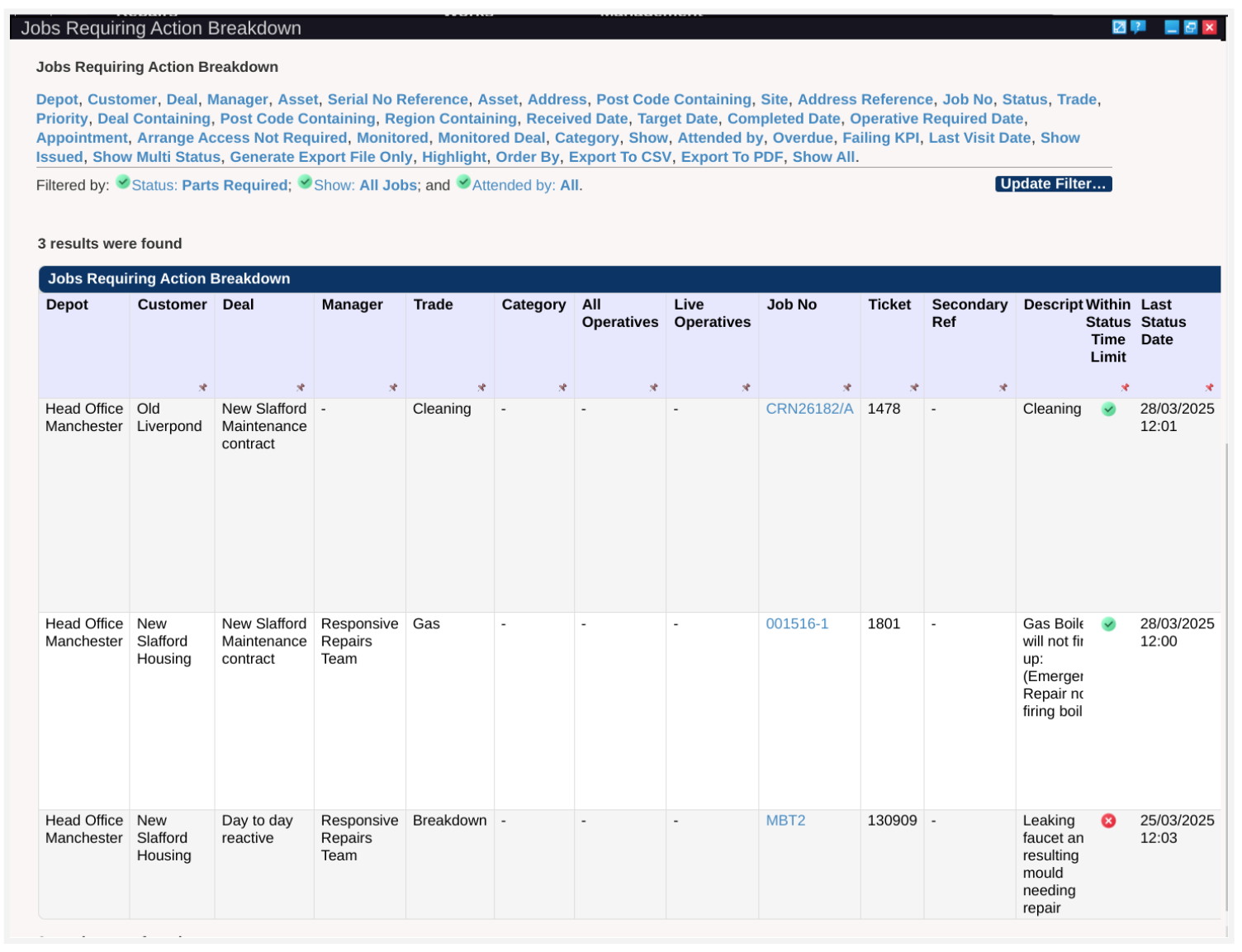
To set the KPI for a status, any user with Setup permissions can head to the ‘Statuses’ option in the ‘Setup’ menu and select the status you want to change, or select ‘Show All’.

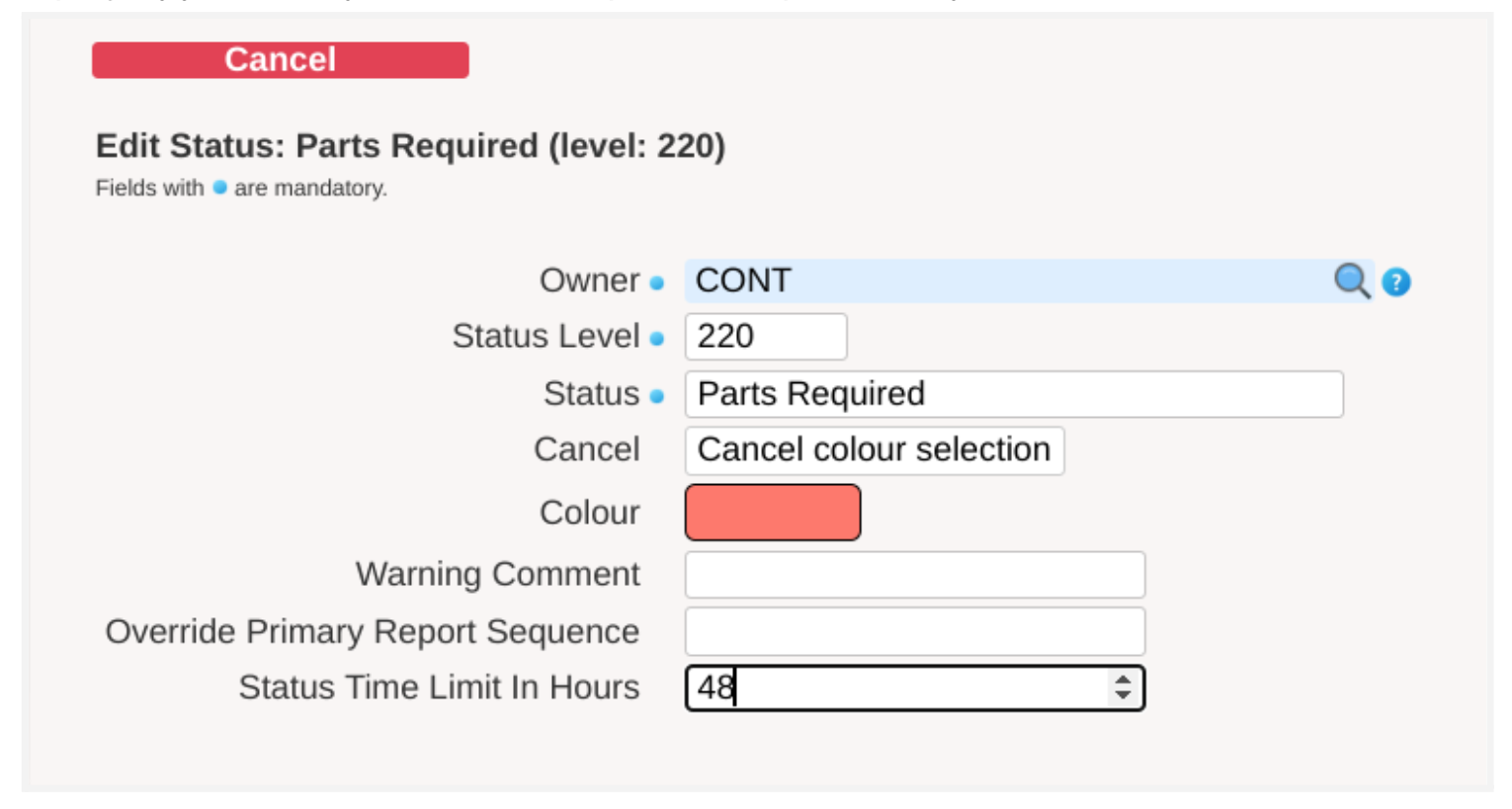
Once you hit ‘Edit’ on a status, it will bring up the setup form, where you can set the ‘Status Time Limit In Hours’ to the amount of time it is safe for the job to sit there. In this example, I’m hoping my job will only be at ‘Parts Required’ for up to two days before we sort it.
And don’t worry, if your system is set up to ignore weekends, then the status KPIs will take this into consideration too.
If you have any questions or want some help, just give us a ring on 0161 477 2343.

