

Have you ever wanted to add costs to a job without having to raise a purchase order or record a visit? With the new expenses portal, you can do just that! Rohan explains more…
By implementing this tool into your workflow, you can reduce the time spent on admin, minimise unnecessary or incorrect data entered to your system, and gain clearer visibility of job-related costs in real time.
The portal can be used by both engineers and managers to record expenses directly against a ticket, meaning your staff can record expenses on the go, without the baggage of a full mobile app.
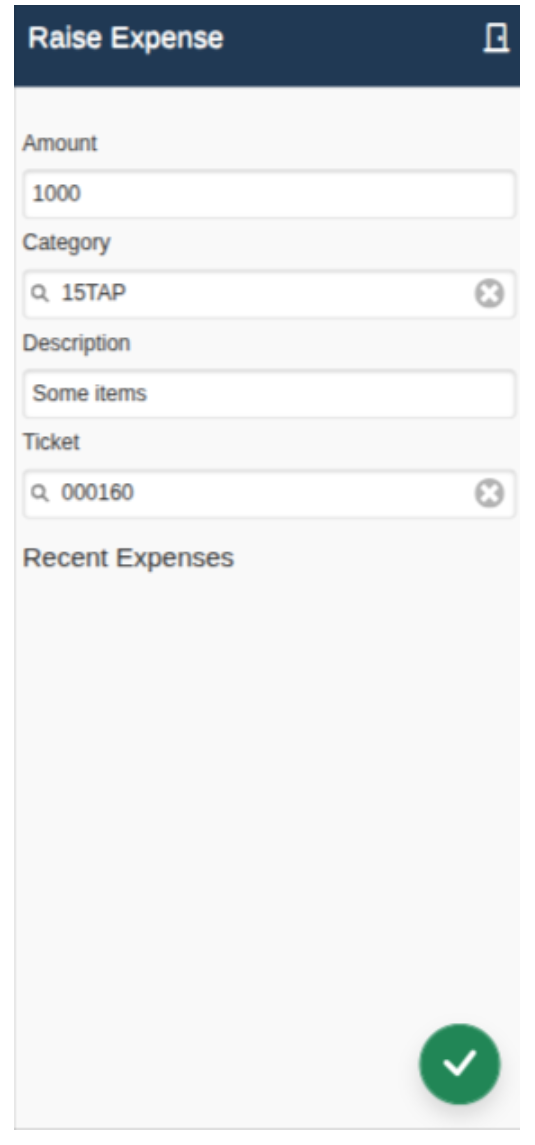
On the portal, you will find a page with some basic information to fill in. The first box is the quantity of the item you have purchased, followed by the category of item, a description of it, and the ticket number the expense is related to. In both the category and ticket fields, you can enter a question mark to be provided with a full list of all the categories and tickets available to choose from.
Once all of the information has been entered, you can click the green tick in the bottom right to submit the expense against the ticket.
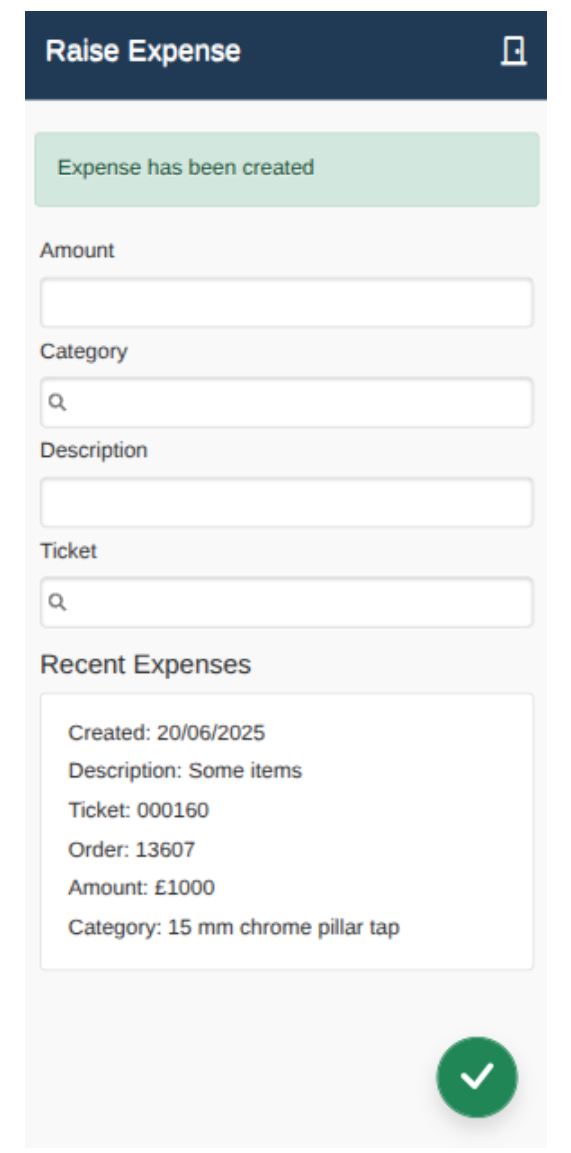
The expense will now be shown at the bottom of the page in the ‘Recent Expenses’ section where you can see all the expenses you’ve recorded in the last 7 days.
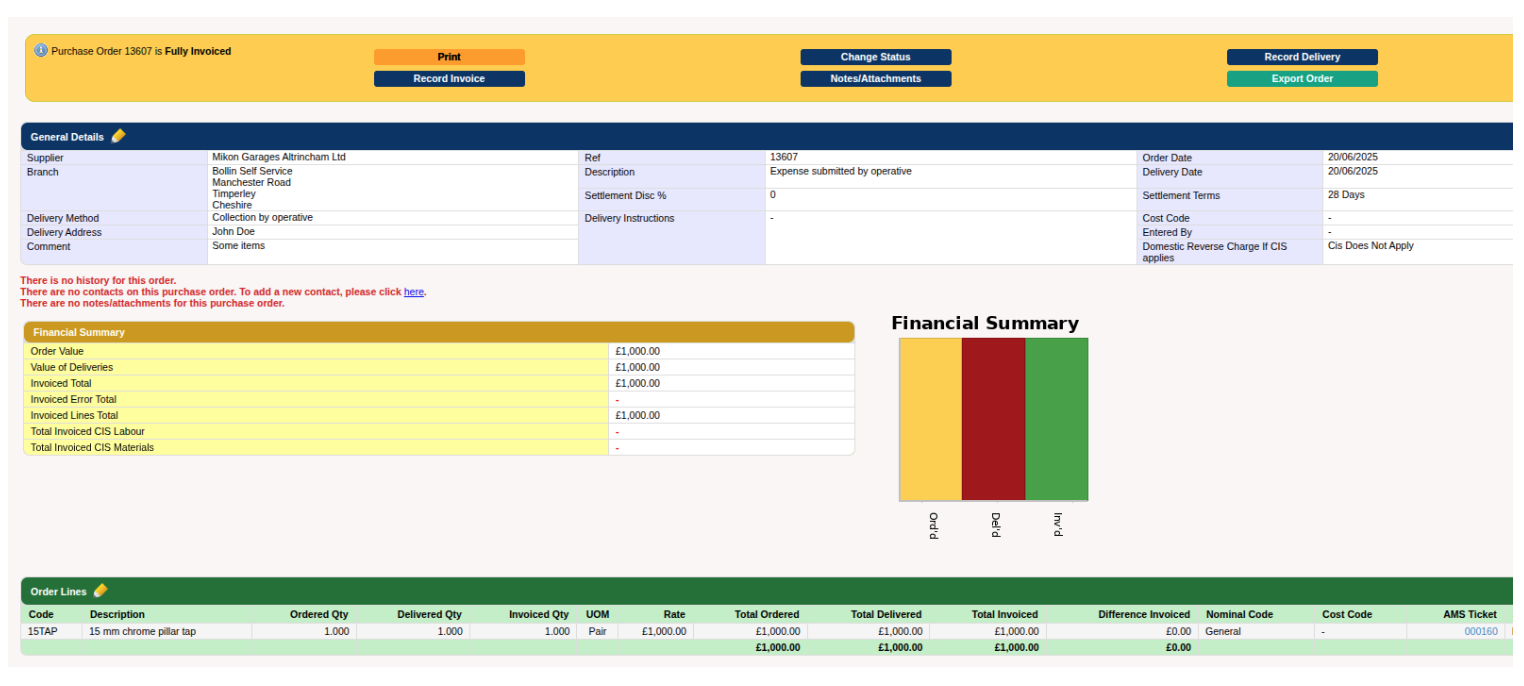 In the back office, you can now see that the expense has been recorded, and is fully viewable as a typical purchase order against a job, without needing to raise a purchase order or record a visit!
We hope you will find this new tool useful, and if you have any questions at all, feel free to call or contact us via your support email.
0161 477 2343
For more hints and tips about using MARKUS check out these New Feature Alerts:

